

SEEDANCE 2.0Video creation enters the true director era
Direct AI video like a filmmaker. Seedance 2.0 lets you reference any image, video, or audio to generate consistent, production-ready 1080p clips with multi-camera storytelling and frame-level precision.
Key Features of Seedance 2.0
Discover the powerful capabilities that make Seedance 2.0 stand out from other AI video generators.
One-Click Video Recreation
Turn a single sentence into a complete video. Replicate trending clips or reimagine iconic scenes — the AI captures style, structure, and intent so you skip hours of manual editing.
Multimodal Reference Input
Feed up to 12 assets at once — images, videos, audio clips, and text. Seedance 2.0 reads each input's role automatically and keeps your characters consistent no matter how many elements you combine.
Frame-Level Precision
Every character, object, and composition detail stays locked across your entire video. Control fonts, scene transitions, and screen rhythm down to individual frames for a polished, professional result.
Multi-Camera Storytelling
Generate new storylines or extend existing videos with natural shot connections. Character movements, narration, environmental sounds, and camera angles stay in perfect audio-visual sync across every cut.
Audio-Visual Sync
Provide a voice sample to guide tone, pitch, and emotional nuance. The model aligns lip-sync, pacing, and expressions to match the audio for narrated videos, singing clips, or character dialogue.
Seedance 2.0 vs Other AI Video Models
| Feature | Seedance 2.0 | Seedance 1.5 Pro | Sora 2 Pro | Veo 3.1 |
|---|---|---|---|---|
| Max Resolution | 1080p | 1080p | 1080p | 4K |
| Max Duration | 15s | 12s | 25s | 8s |
| Aspect Ratios | 6 options | 6 options | 2 options | 2 options |
| Input Types | Text, Image, Video, Audio | Text, Image | Text, Image, Remix | Text, Image, Video |
| Max References | 12 assets | 3 images | 1 image | 3 images |
| First Frame | ✅ | ✅ | ✅ | ✅ |
| Last Frame | ✅ | ✅ | ❌ | ✅ |
| Audio Sync | ✅ | ❌ | ✅ | ✅ |
| Storyboard Mode | ❌ | ❌ | ✅ | ❌ |
| Character Insert | ❌ | ❌ | Cast-In | ❌ |
| Remix | ❌ | ❌ | ✅ | ❌ |
| Visual Consistency | ||||
| Motion & Physics | ||||
| Creative Replication | ❌ | |||
| Ease of Use |
How to Create Videos with Seedance 2.0
Get started in just three simple steps — no video editing experience required.
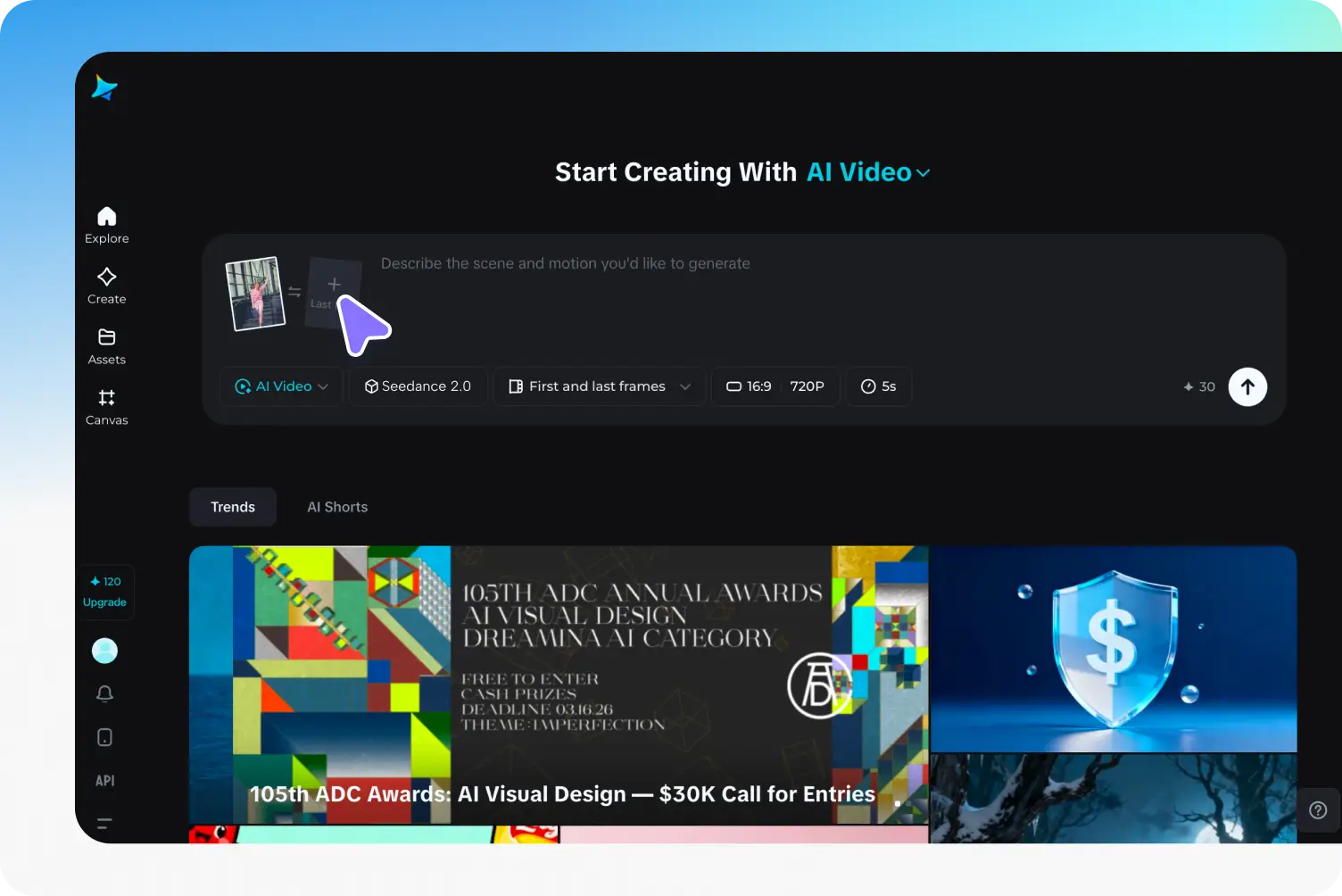
Step 1 of 3
Select Seedance 2.0 Model
Open the video generator and choose "Seedance 2.0" from the model selector. Upload your reference images (up to 9), videos (up to 3), and audio (up to 3) to guide the AI.
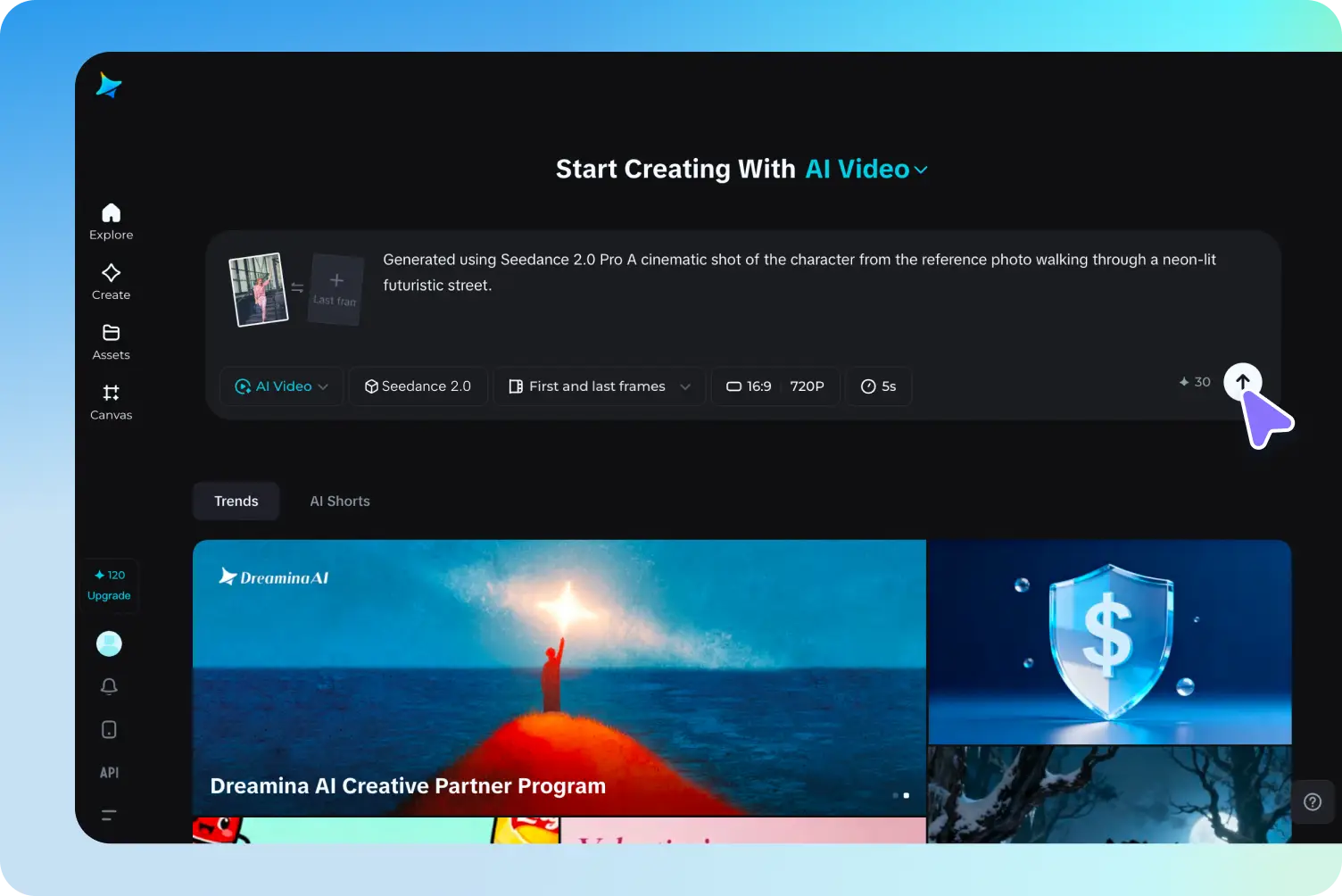
Step 2 of 3
Define Your Vision with Prompts
Describe the scene, action, and mood in the prompt box. Choose your preferred aspect ratio (16:9, 4:3, 1:1, etc.), resolution (720p–1080p), and duration (4s–15s).
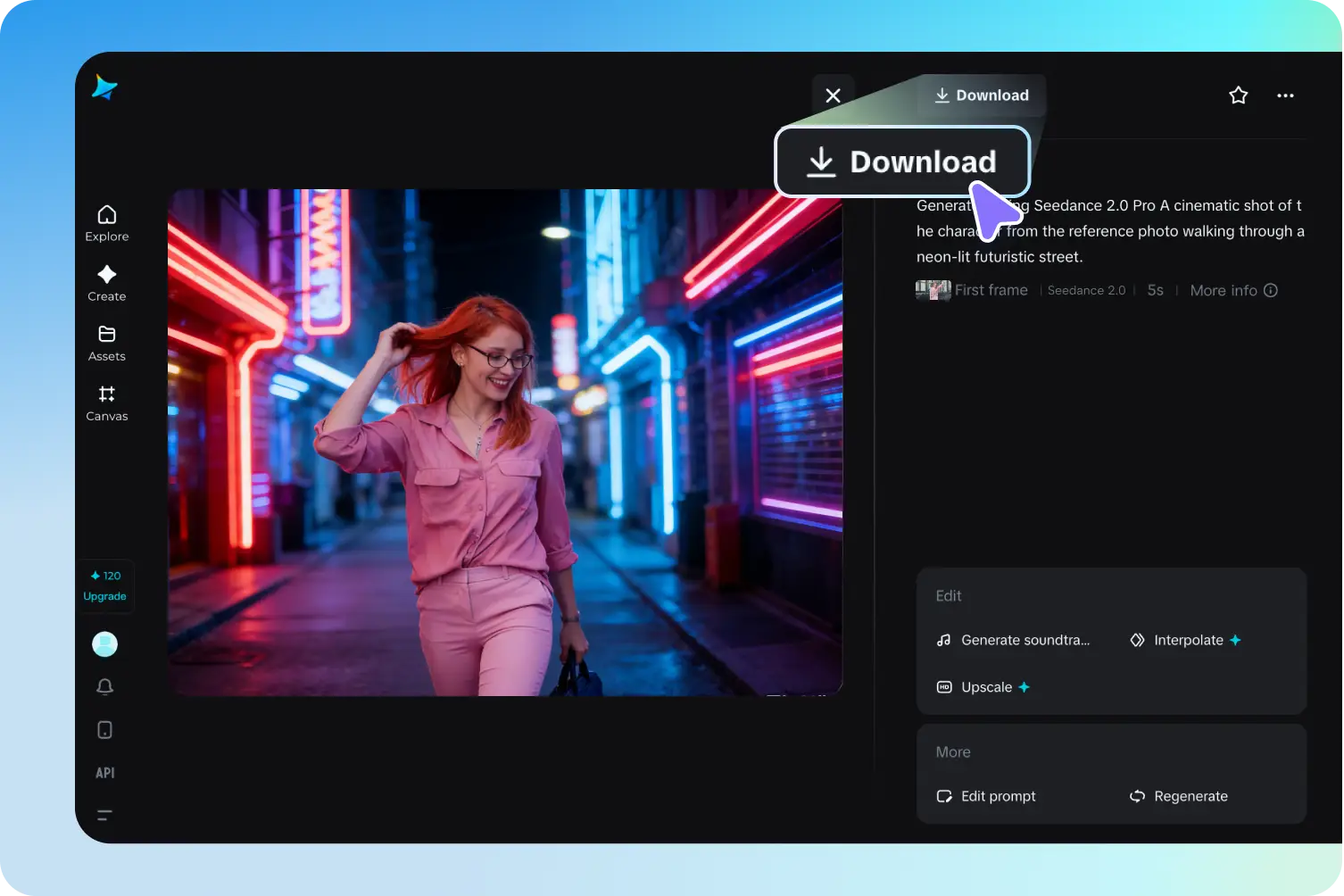
Step 3 of 3
Generate, Refine, and Export
Click "Generate" to create a preview of your video. After reviewing, refine details or enhance resolution. Once satisfied, download your professional-quality video ready for any platform.
Frequently Asked Questions
Seedance 2.0's biggest highlight is one-click video recreation from a single sentence. It learns simultaneously from text, images, video, and audio — up to 12 assets per generation — accurately capturing style, structure, and creative intent. Other standout features include multi-camera narrative flow, frame-level precision, and an all-in-one workflow from idea to final cut.
Simply visit botgo.ai, select "Seedance 2.0" from the model dropdown in the video generator, enter your prompt or upload reference images, and click Generate. Free users can create videos at 720p resolution with no credit card required.
Seedance 2.0 accepts images, videos, audio clips, and text prompts — up to 12 assets in a single generation (9 images, 3 videos, 3 audio clips, with video or audio up to 15 seconds each). You can mix and match input types freely while the model keeps characters and style consistent.
Seedance 2.0 understands prompts with high accuracy, turning text instructions into matching visuals, character actions, and audio. The more specific your prompt — scene composition, camera angles, timing cues — the more precise the output.
Yes. Seedance 2.0 generates multi-scene videos with smooth transitions, synced audio, and consistent character details across every shot. You can extend existing projects or start new storylines while maintaining visual and narrative coherence.
Yes. Videos generated with Seedance 2.0 on botgo.ai can be used for personal and commercial purposes, subject to the model license and platform terms of service.
Seedance 2.0 generates videos at up to 1080p resolution with support for multiple aspect ratios including 16:9, 4:3, 1:1, 3:4, 9:16, and 21:9. Videos can be up to 15 seconds long with cinematic quality motion and visual detail.
No. Seedance 2.0 is designed for beginners and professionals alike. The interface is straightforward — write a prompt or upload your references, and the AI handles the rest. Advanced users can fine-tune timing, transitions, and camera angles for deeper control.
Explore More AI Models
Try other powerful AI video generation models available on botgo.ai.
THE FUTURE OF VIDEO:SEEDANCE 2.0 CREATIVE ENGINE
Turn text, images, and audio into cinematic videos with multi-camera storytelling and frame-level precision
Try Seedance 2.0 Now